New Tutorial Video: Executive Dashboards

Have you been considering an upgrade to the web-based version of SpendMap?  If so, here’s a little more motivation..

The new Executive Dashboards in the 2013 Release of SpendMap provide instant access to a graphical presentation of more than 50 Key Performance Indicators (KPIs) in your web browser, to help you make instantaneous and informed decisions about your business.

And don’t forget, there’s only one week left to take advantage of the Anniversary Sale discount!

Dashboard Video Tutorial

Approving suppliers in your free Purchase Order Software

Carl in the United Kingdom asked…

Is it possible to give a supplier an approval? Ford example a new supplier would be categorised as ‘new’ then on return of a supplier questionnaire would moved to ‘approved’.  Perhaps this can be done in the category tab of the supplier (master file)?

That is a great question, Carl.  It really depends on what you need to do with the suppliers that are pending approval.  For example, if you just need to identify who they are (e.g. print a list of suppliers in the approval process, or search for them while using the system), then using the Supplier Category feature would work well for that.

You can learn more about this feature in this section of the Online Help…
– PURCHASING > Master Files > Supplier Classifications

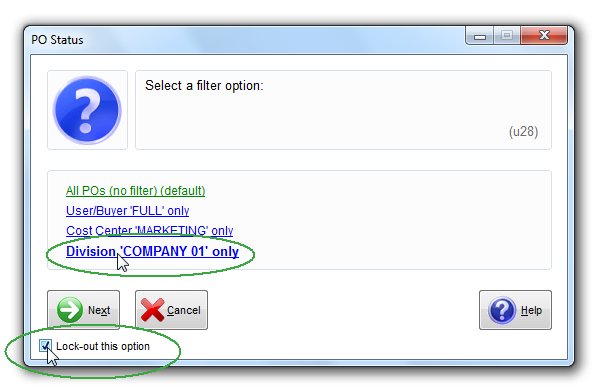
If, however, you need more functionality around the supplier approval process, then here are a couple other features to consider instead of (or in addition to) the Supplier Category…

(more…)

The Free-Procurement Project Turns 1

This week is the 1-year Anniversary of The Free-Procurement Project.

Free Purchase Order Software turns 1
That’s right, it’s been one year since we launched the world’s first totally free e-procurement system.

And even with our 20 years of experience in this business, we could never have predicted how much interest there would be in the Project.  So far, more than 5,000 people in over 100 countries have downloaded the Free version of SpendMap.

Our sincere thanks to the entire Free-Procurement community and all of you who helped make this project a success!

All the best,
– The Free-Procurement Project Team

Multi-Company Setup in your Free Purchase Order Software

Brian in Nevada asked about setting up multiple companies in the free version of SpendMap…

The program is on its way, and I love it so far. I do have another need. I run 2 different companies…They are truly separate companies, payables, orders, everything.  Can I add a second company to the live version of SpendMap, or can I install a second version? What is possible?

You have both options.  You can install a separate system/database for each company, or you can set up both companies in one system, and then use some of the features in SpendMap to segregate your data.  For example, you could use a different sequence of Purchase Order numbers for each company (i.e. different PO Number Sets) so that you can, for example, filter reports to only see POs for one company at a time.  Similarly, if you have separate suppliers, items and/or account codes for each company, you could use the Master File Catalogs feature to create separate Master File lists for each company.

TIP: If you go this route, you may want to restrict users to their company’s Purchase Orders, suppliers, account codes, etc., so that they can’t accidentally select something from the other company.  Or you can let them access data from both companies if you prefer.

Restrict user access in Free Purchase Order Software

So it comes down to how “separate” the companies really are.  If they are truly separate and you will never want to run reports and otherwise view data for both companies at the same time (e.g. Show me a list of Purchase Orders across both companies), then by all means create two separate copies of the database, with a separate shortcut/icon for each system on your desktop.

Windows 8 Support for your Free Purchase Order Software

I’m writing this blog post on my fancy new Windows 8 machine with touch screen.  It’s taking a bit to get used to but I must say, I’m liking the new Windows 8 experience and I suspect it will be a big hit for Microsoft.

We have completed our development work on the 2013 release of SpendMap, which includes Windows 8 support and around 20 other new features, and we have begun our testing phase.

If you are already using last year’s release of our Free Purchase Order System (v11.64), make sure to follow this blog and we’ll let you know when an update is ready.  As with all new SpendMap releases, the update utility is completely automatic and will bring forward all your settings, master files, POs and other transactions, so you won’t lose any of your work.

Happy 2013 everyone!

Thank you for being part of a wonderful 2012 at SpendMap

2012 was a fun and innovative year at SpendMap.  As in recent years, we worked closely with a couple hundred midsize and larger organizations that bought our software products and services to automate their procurement processes and drive their Spend Management initiatives.

But this year, thanks to the Free-Procurement Project (and the magic of the Internet and social media), we were also able to engage thousands of smaller companies that would never have had the opportunity to reap the benefits of e-procurement technology before.

It sure felt good to give back.

We would like to thank the entire Free-Procurement community for believing in us.  Based on the number of people this year who told us that a free e-procurement system seems too good to be true, we understand that it still takes a leap of faith to choose free software to automate your Purchase Orders and related processes, and we are grateful to everyone who gave it a try.

And we’re especially grateful to all the people who have fully implement the free system, many with no training at all.  You proved once and for all that SpendMap is one of the easiest Purchasing Systems to use, and you also proved that companies of any size can automate and control their spending with little or no budgets for their e-procurement projects.

We look forward to working with you all this coming year, starting with the 2013 release of SpendMap, which we hope to start rolling out early in the new year.

May 2013 bring you continued success, health and happiness.

All the best,

– The Free-Procurement Project Team

Support Ticket System for free Purchase Order Software

We are upgrading some of our servers, so the free Support Ticket System will be offline for part of the day today.

If you need any help with the free version of SpendMap, just send an e-mail to free-support@spendmap.com and a new support ticket will be created for you automatically.

Thanks for your patience as we improve our infrastructure and prepare for additional growth in 2013.

Free Purchase Order Software – Status Update

Our Blog will be a little more quiet than usual for the next few weeks as we work on the 2013 release of SpendMap, which we hope to officially announce early in the Next Year.

While some of the new features will only be available in the (paid) web-based version of SpendMap (e.g. Executive Dashboards, SQL Server 2012 support, etc.), we expect around 20 or so new features to make their way into the next free version of SpendMap.  Here are just a few…

  • Support for Windows 8 and Windows Server 2012
  • Ability to create Requisitions for Blanket Purchase Orders
  • New utility to import requisition approval/routing rules during system setup
  • Ability to broadcast e-mails to all or some suppliers from within SpendMap
  • New e-mail notification:  e-mail copy of final Purchase Order to the Requisitioner
  • Ability to specify Max inventory levels by inventory location

Stay tuned for more details as we get closer to the release date.

And if you haven’t yet subscribed to this blog, just use the field at the top-left of this page to get updates by e-mail when we have news for you about the free Purchase Order Software System.

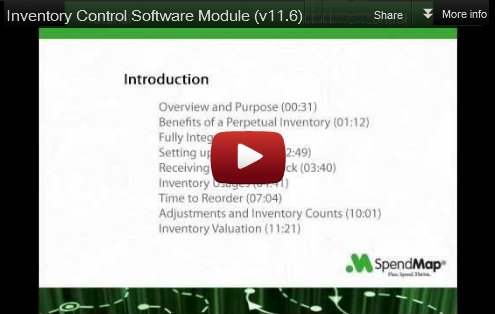
Inventory Control Module Video Tutorial

How about some Inventory Control to go along with your free Purchase Order software?

This new video tutorial shows how to manage a consumable inventory such as office supplies, cleaning and maintenance supplies, raw materials for production, and so on.

Click the image below to watch the Inventory Control Software tutorial, and don’t forget to visit our YouTube channel to see 16 other tutorials that will help you get started with the most popular features in SpendMap…

Inventory Control Software Video Tutorial

Follow up on problem with installation program

The problem that was originally reported yesterday (the inability to change the target folder during the installation) turned out to be fairly isolated.

We tested the installer on many different PC configurations and we were only able to reproduce the problem on one machine, but not others with the same specs and version of Windows.

So we’re going to keep working on it but for now you can go ahead and download your free Purchase Order Software, as the problem will only affect a very small number of machines, and even fewer customers, since not all need to change the default installation folder.

Again, sorry for any inconvenience.