free

Free Purchase Order Software – new stuff coming soon!

New Version of SpendMapWe’re starting to roll out the 2014 release of SpendMap (v12.6), which includes more than 30 new features and capabilities.

We even added some new stuff just for the Free-Procurement Community, such as the ability to build Purchase Orders from approved Purchase Requisitions immediately as the last Approver completes their review (i.e. you no longer have to run the Build PO Utility as a separate step).  This will be more convenient for smaller companies that don’t have dedicated Buyers/Purchasing Managers who review orders before they go out the door.

Anyway, this is just a pre-announcement that more good stuff is coming your way.  We’re working on the updated installation package for new systems now, and then we’ll put together a v11.9 to v12.6 update for existing users, likely in the next couple/few weeks.

People are still skeptical of free Purchase Order Software

skepticalMore than two years into the Free-Procurement Project, we’ve given away more than 20,000 free Purchase Order systems to SMBs in over 100 countries, yet people are still skeptical.

Susan works in a Hospice in Florida, a non-profit organization helping families when they need it most.  Hers is exactly the type of organization that we’re trying to help with this Project.

Susan kindly responded to the survey that we send out a few weeks after people download the free software, and wrote…

The purchase orders are great. The problem I had was the inability to email the purchase orders out. I received error messages and determined that this software program really isn’t free.  The act of misleading the end user is what I was most disappointed in.

The message she is referring to says that the e-mail module needs to be set up, not that it needs to be purchased.  I think perhaps Susan must have had an underlying assumption that a totally free Purchase Order System, worth literally thousands of dollars, is too good to be true, which led her to jump to a wrong conclusion.

And Susan is not alone.  Despite our best efforts, people still think there’s a catch.

So for all you skeptics out there, I’m here to tell you that the free version of SpendMap it just that, totally free.

Trust is a pretty hard thing to earn on the Internet these days but we’re trying.

Free Purchase Order Software Goes Mainstream in 2013

2013 year reviewIt seems that you’re in pretty good company by choosing the free version of SpendMap.

In 2013, just over 17,000 people in 170 countries read our blog, resulting in just over 60,000 page views.

Of those, around 10,000 decided to download their free copy of SpendMap.

And it didn’t stop there.  Most of you elected to learn the system on your own using the free video tutorials, resulting in over 20,000 views on our YouTube channel, for a total of just over 60,000 minutes of viewing time.

But we also answered more than 500 free support tickets, for people who still had questions.

We feel honored that so many people put their faith in us, considering that free Purchase Order Software is still quite new to the industry.

If you are impressed with what we’re doing and would like to give back, please help spread the word to keep the momentum going.

Thanks for a great 2013 and all the best in 2014!

– Your friends at the Free-Procurement Project

Is free Purchase Order software right for you?

Barry in Washington, D.C. commented that we might want to be a bit more forthcoming about the differences between the Free and Paid versions of SpendMap. free vs.  paid purchase order software

Sorry about that, Barry.  We didn’t mean to hide anything.

In a nutshell, while they are functionally very similar, the Free Version is a Windows/desktop application that was designed for small businesses and small buying groups in larger organizations, while the Paid Version is a web-based (browser-based) system that is more suitable for midsize and large organizations (since it runs in your web browser with no software to install, it’s easier to deploy to a large number of users).

Technology aside, there are also differences in the way that we sell, implement and support the two products.  For example, the Free Version is all set up for SMBs to do a self-evaluation, while we offer a more “consultative” sales approach for our larger customers who are considering the Paid Version (bigger companies tend to have more complex needs when it comes to their e-procurement systems, which often makes a self-evaluation impractical).

Similarly, the Free Version assumes a do-it-yourself implementation using the various resources that we provide with the free software (e.g. online help, video tutorials, online support system), while our larger, paying customers get to work directly with our Client Services Group and have access to our full line of Professional Services, such as priority phone support, web-based and on-site training, implementation consulting, and custom programming services.

Again, these are just the main differences between the Free and Paid Versions of SpendMap.  For more details, we added a new subsection called “Is this right for you?” to the Getting Started Documentation that comes with the free software.  Just select the menu HELP > CHECK FOR UPDATES, then exit and re-run SpendMap.  The new section is right at the top of the Getting Started Documentation.

Hope this helps.
The Free-Procurement Project Turns 1

This week is the 1-year Anniversary of The Free-Procurement Project.

Free Purchase Order Software turns 1
That’s right, it’s been one year since we launched the world’s first totally free e-procurement system.

And even with our 20 years of experience in this business, we could never have predicted how much interest there would be in the Project.  So far, more than 5,000 people in over 100 countries have downloaded the Free version of SpendMap.

Our sincere thanks to the entire Free-Procurement community and all of you who helped make this project a success!

All the best,
– The Free-Procurement Project Team

Inventory Control Module Video Tutorial

How about some Inventory Control to go along with your free Purchase Order software?

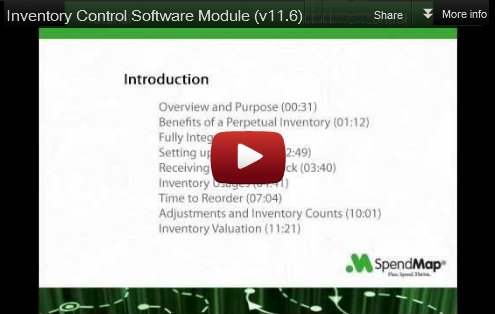
This new video tutorial shows how to manage a consumable inventory such as office supplies, cleaning and maintenance supplies, raw materials for production, and so on.

Click the image below to watch the Inventory Control Software tutorial, and don’t forget to visit our YouTube channel to see 16 other tutorials that will help you get started with the most popular features in SpendMap…

Inventory Control Software Video Tutorial

Skype support for free Purchase Order Software

Our Support Group is now supporting Skype for our worldwide users.

So if you buy a Service Plan, per-incident support or other professional services, you can now call us free of charge from anywhere in the world.

Seems like a nice complement to the free Purchase Order Software.

As always, you can still get totally free support with the free support ticket system.

We’ll provide you with our Skype contact details when you place your order for services.

Have a great day!

A few new features in your free Purchase Order Software

A few of the new features that you asked for in last week’s survey were already added to SpendMap earlier this year and will be available in the next release of your free Purchase Order Software.

  • Ability to delete all existing requisition approval/routing rules in one step (start over)
  • Ability to broadcast e-mails to all or some suppliers from within SpendMap
  • Requisition for Blanket Purchase Order
  • New e-mail notification: Email copy of final Purchase Order to the Requisitioner

Thanks to all who took the survey.  When creating our development schedule, we take valuable input from the users of the free version of SpendMap, and combine it with new feature requests from our paying customers (who are using the web-based version of SpendMap), so both communities benefit from your input.

If you haven’t yet taken the survey, please take a moment now and join the conversation.

Thanks and have a good day.

Free Purchase Order Software Video Tutorial

This new video tutorial outlines the free version of SpendMap that automates Purchase Orders and a whole lot more.

Click the image below to watch the video on YouTube…

Watch on YouTube

New Tutorial: Importing items into free Purchase Order Software

We’ve had a few requests for help with importing your items (item catalogs) into the free Purchase Order Software during initial system setup (saves time over keying in all the item details manually).

So to help you out, we put together a new video tutorial on importing items into the Item Master File.

The video actually covers many generic concepts about SpendMap’s built-in integration tools, not just importing items, so it will also be helpful for you when importing other Master Files (suppliers, account codes, assets, etc), as well as setting up transactional interfaces (e.g. exporting approved invoices to your Accounts Payable system, etc.).

TIP: As you’ll see at the end of the tutorial on importing items, we’ve added a sample import configuration to your Evaluation System, along with a sample spreadsheet containing a few sample items that you can use to test the import utility.  If you recently downloaded the free version, you may need to select the menu Help > Check For Updates to get these files.

You can watch all 14 video tutorials to help implement your free Purchase Order Software on our YouTube channel.

Thanks, and please keep the feedback coming!