If you are using the Receiving Module in SpendMap but don’t want to enter receipt transactions for certain Purchase Orders, you can use the Auto Receipts feature to automatically receive/close those POs on their delivery dates.
For example, weekly landscaping services or perhaps a PO for an educational course might be automatically received so that the orders don’t show on the Late PO Report, etc.
First enable the feature for one or more of your PO Number Sets, by checking the option “Auto Receipt?”, in here…
– PURCHASING > Setup system > Incrementing document number sets > POs
Once enabled, when you enter new POs for that Number Set, you will have access to the Auto Receive checkbox at the top-right of the PO Header Screen…
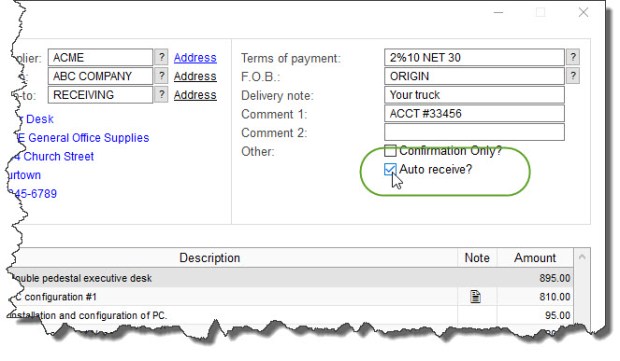
Now that you have indicated which orders are to be auto-received, you can run the Auto Receipt Utility as often as you like to actually receive/close the applicable orders. Only orders that are 1) set to Auto Receive and 2) have reached their delivery dates, will be closed when the utility is run…
– RECEIVING > Utility > Auto-receive POs
TIP: enable the option in the [Permissions] Folder of your user account to “Prompt upon login to auto-receive applicable POs?” so that you never forget.




 If you’re using